YouTube SEO: A Complete Walkthrough To Rank Your Videos
Written by Abdul Ahad Qureshi
YouTube, one of the biggest platforms for sharing video content. Video content is as important as your other forms of content. They form an important part of marketing since time immemorial. From conventional television ads in the 1960s to YouTube and Netflix, video content has always been there to attract customers through their auditory and visual senses. When it comes to videos, YouTube is considered as the biggest search engine after Google. For making your YouTube channel a big-time success, it’s very necessary for your videos to rank on top. Whenever we talk of ranking, there will always be a mention of SEO. But YouTube SEO is a bit different from the conventional method of search engine optimization. Thus I’ll be discussing some YouTube SEO tricks in this article:
3 Tips For Ranking Your YouTube Channel
So here are some simple tips that you can use for ranking your video on top in the YouTube SERPs:
1. Keyword Research
Keywords lay the foundation of SEO. The first and foremost thing that a user will use for reaching your videos is some search queries in the search bar. Thus, it is very necessary to generate a list of some relevant keywords first. For generating keyword ideas, you can start with YouTube’s Search Suggest feature:
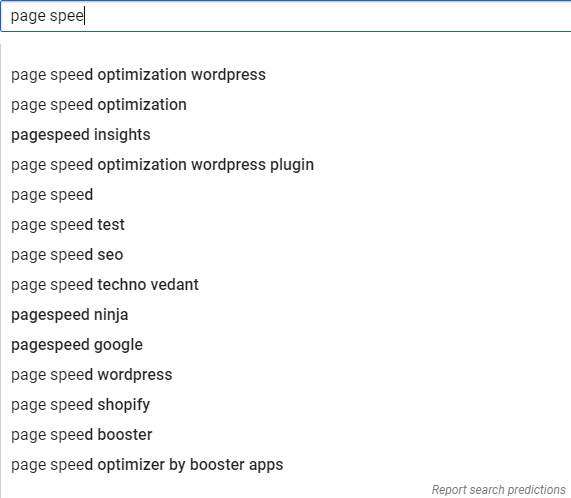
YouTube will give you a bunch of keywords that people actually search for. And since the platform itself is suggesting it to you, there’s doubt to whether they’ll rank or not. The next thing you can do is go to a popular video in your niche and check what keywords are being used there. If a video has lots of views, chances are that it’s optimized around a popular keyword. To find out, just go to the channel of that video and sort their channel with the “Most Popular” filter.
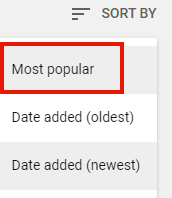
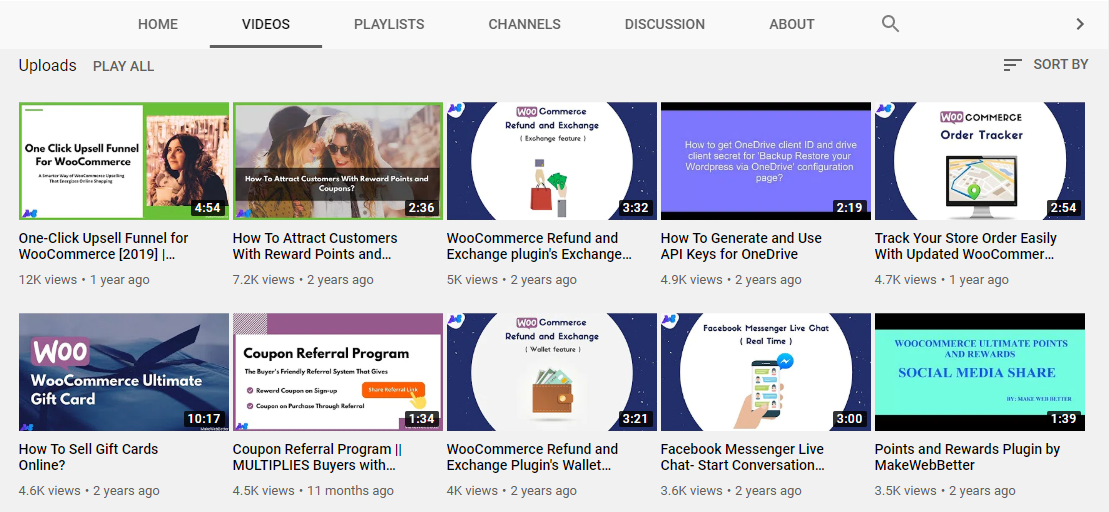 You’ll now be able to see the most popular videos of that channel. Choose a video and have a closer look at the title, description and tags of that video.
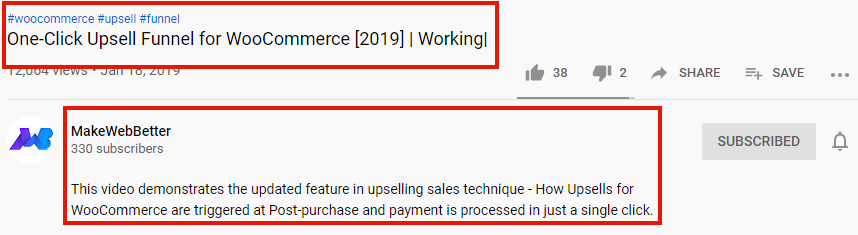 For checking the video tags of a video, add an extension like VidIQ.
Bonus Tip:
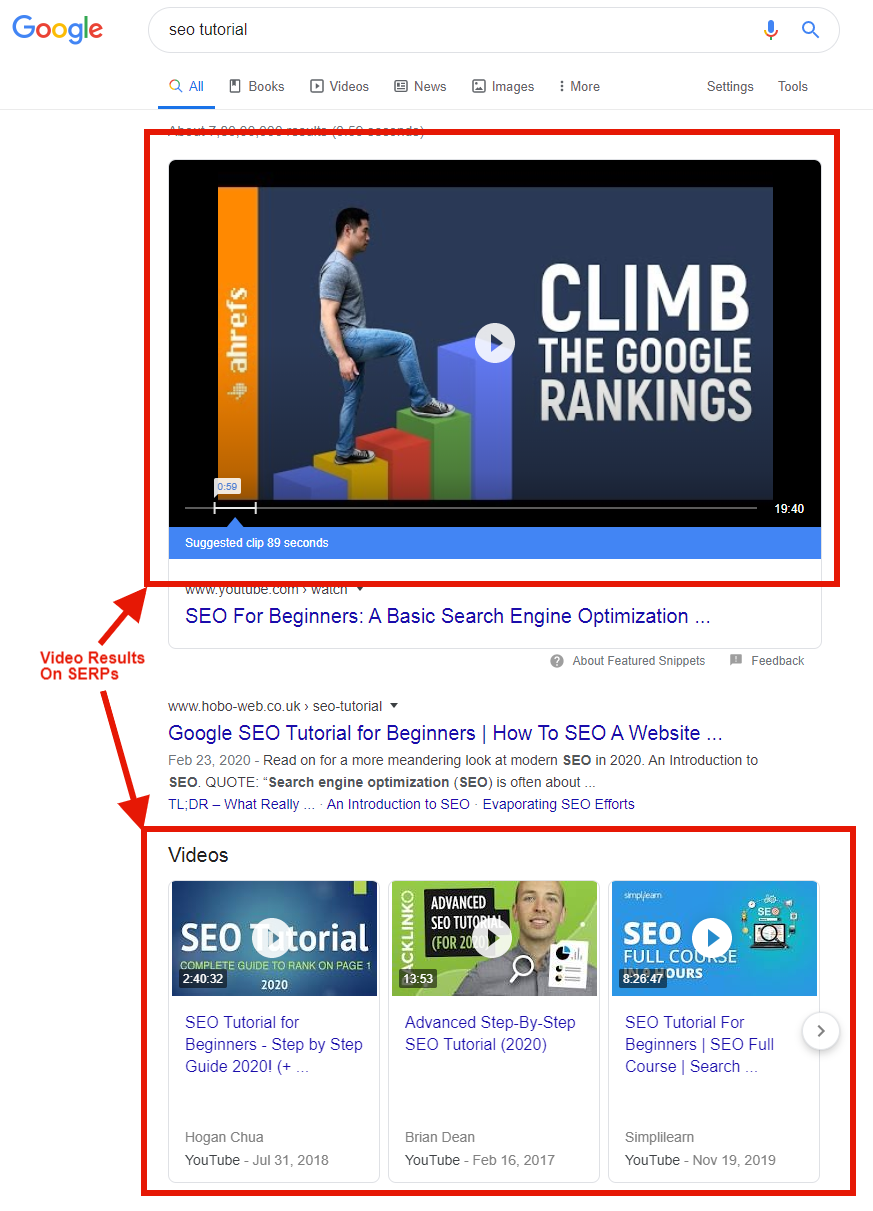
You can also optimize your video around keywords for which Google returns video results. This will help you in getting 2-5x more views. Use keywords from videos that reserve a chunk in the SERPs for themselves.
For checking the video tags of a video, add an extension like VidIQ.
Bonus Tip:
You can also optimize your video around keywords for which Google returns video results. This will help you in getting 2-5x more views. Use keywords from videos that reserve a chunk in the SERPs for themselves.
In general, Google shows video results for the following type of search queries:
- “How to” (For example, “How to make cold coffee?”)
- Review related queries (For example, “Samsung S20 GSM Arena review”)
- Tutorial related queries (For Example, “on-page SEO tutorial”)
- If you own a sports or fitness related channel, you’ve a great opportunity to rank your videos. For queries like “kickboxing”, “cycling”, etc, Google often returns a video result.
Compare Your Audience Retention Reports
Start Grabbing Their Attention Right From The Beginning
Keep A Check On Your Video Length
Leverage Open Loops
- Keep your title length at least 5 words long.
- Add your target keywords in the beginning of your title to gai SEO benefits.
- Abstain from keyword stuffing.
- Keep a meaningful title.
- Keep your description at least 250 words long.
- Mention your target keyword in the first 20 words.
- Repeat your keyword smartly without making it look inhuman.
- Create a keyword-rich description.
- Use LSI keywords for your video description.
- Keep on a tag which is your focus keyword. (example, “on-page SEO”)
- Include few variations of your focus keyword. (example, “google search engine optimization”, “search engine optimization”)
- Rest you can make up tags that cover your video. (example, “content strategy”, “content creation”, “keyword research”, etc.)
With the help of the above tips, you can prepare a list of keywords that revolve around your video. For a list of target keywords, you can take the help of Google Keyword Planner or SEMRush.
With the help of these tools, you can get a bunch of keywords that have a good search volume. If you rank your videos with the help of these keywords, then you’ll have a good number of clicks on your video from the search results.
2. Create Videos That People Keep Watching
Audience retention is the most important factor for YouTube to rank its videos. Thus, your goal should be to create videos that people keep watching till the end. The average percentage of a YouTube Video that people watch is known as “Audience Retention”. For example, if you published a video which is 10 minutes and on an average people watch the video for only 5 minutes, then your audience retention is 50%
YouTube has confirmed the importance of Audience Retention, let’s read in their own words:
“Your goal is to keep audience retention as close to 100% as you can (because this means viewers are watching all of the way through your videos). And videos with consistently high audience retention and watch time have the potential to show up more frequently in Search and Suggested locations on YouTube.”
The question is: How to create a video that keeps your audience engaged? Here’s how you can boost your Audience Retention graph, and publish videos that compel your audience to watch till the end:
Investigating audience retention reports will highlight the videos where you achieved success. Just think about what you did in these videos and replicate the same methodology to your other videos.
Research has shown that YouTube viewers have a very short attention span. It may vary from 6 to 3 seconds. Thus, it’s very necessary to start your video with an opening statement that entices your viewers to watch till the end.
Video length is another important factor for audience retention in YouTube. The length of the video depends completely on the type of content you share with your audience. Suppose your channel is about gaming where you share gameplay. In such a niche, people are interested in watching long videos to know the result. The watch time completely depends on your analysis. Just share valuable content with your audience. Keeping it to the point is what I suggest for creating a video of optimal length.
Open loops are a method by which you nurture your viewers to seek some sort of conclusion. Simply preview what will be coming to the end of your video in the beginning thus, building suspense.
Optimize Your Video
Once you’ve done your keyword research and crafted a great video, it’s time to work on the SEO values of your videos.
Step 1: Say Your Target Keyword In The Beginning
YouTube transcribes your video very smartly and accurately. So if you mention your target keyword at the beginning of your video, YouTube will definitely hear it. Thus, making it understand that your content is based around that term.
Step 2: Video Title
Here are some tips for optimizing your video title:
Step 3: Video Description
For making Google and YouTube understand the context of your video, the description plays an important role. The better they understand, the better will be your ranking. Some tips for writing an SEO friendly video description are as follows:
Step 4: Add Relevant Tags
Tags don’t play a direct role in your YouTube SEO, but they do have a small share of impact. You can use video tags in the following manner:
Conclusion
I hope I was able to clarify the basics of YouTube SEO and you got some points required for YouTube SEO to rank your videos. Please do let me know what strategies you all use to optimize your YouTube videos, and if you’re in videos related to eCommerce, WordPress, and WooCommerce solutions follow us on YouTube at MakeWebBetter.Article author
About the Author
Further reading
Further Reading
Article
What Is a Slug Generator and Why Do I Need One?
Create SEO-friendly URLs effortlessly with our online free slug generator. Perfect Slug Maker for bloggers and webmasters!
September 14, 2026
Article
Unlock a High-Converting Dental Marketing Plan That Wins
Want more patients and revenue? Learn the secrets to creating a dental marketing plan that converts, grows your clinic fast, and beats the competition.
September 13, 2026
Article
What Makes SEOGDK a Leader in Digital Marketing Innovation?
Discover SEOGDK, a leading digital marketing blog started in 2011 to empower digital marketing professionals, bloggers, and entrepreneurs via its SEO guides, blogging tutorials, affiliate marketing resources, digital marketing insights, reviews, and web technologies.
September 13, 2026
Article
How AI SEO Services in India Are Transforming Search Rankings and Organic Growth
SEO looks different than it did even two years ago. Keyword research, content planning, and technical audits now run through AI tools that process in minutes what used to take a research team days.
September 13, 2026